
EBT Online Payment
Giant Accepts SNAP EBT Payments
Apply SNAP benefits to pickup and delivery orders with your EBT card at checkout.
Add EBT CardBuy Giant groceries online with SNAP.
Families using SNAP (Supplemental Nutrition Assistance Program) now have the option to pay for grocery delivery and pickup orders with an EBT (Electronic Benefits Transfer) card. A credit/debit card is required to make a purchase using an EBT card to cover any costs that are not eligible for SNAP.
Learn how to stretch your grocery dollars, meal plan or eat healthy on a budget with our Healthy Living team of nutritionists. Watch our on-demand education or reach out to healthyliving@giantfood.com for a personalized store tour.
How it Works
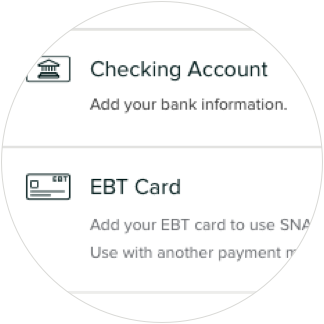
1. Add a SNAP EBT card to your account.
Add your EBT card to your account profile under Payment Information. Once you've added an EBT card, you'll be able to check out with no order minimums as long as you apply SNAP funds to the order. If you are placing your first order with us, add your payment information during checkout.

2. Select the SNAP benefits option at checkout.
You’ll find the SNAP checkbox on the order summary screen. Be sure to enter any promo codes before applying SNAP.

3. Choose an amount to charge to SNAP.
After reviewing your SNAP-eligible grocery items and subtotal, you can enter an amount to charge to your SNAP account.

4. Enter the PIN for your EBT card.
This will immediately apply the benefits from your SNAP account. We’ll charge any remaining balance to your preferred credit/debit card or checking account.

5. Discover resources from our Healthy Living Team.
If you'd like to learn more about how to stretch your grocery dollars, meal plan or eat healthy on a budget, our Healthy Living team of nutritionists can help. Watch our on-demand education or reach out to healthyliving@giantfood.com for a personalized store tour.